


Welcome to a new web development tutorial! Today, I will show you how to create a hamburger menu using only HTML and CSS. Whether you are at the beginning of your web development career and don't know which practical projects to work on, or you are simply passionate about the IT field, this is an engaging tutorial. And there's more: it is responsive!

- HTML
- CSS
- MEDIA QUERIES
Our first step is to create the basic structure of our menu with HTML. To do this, open your text editor (we use Visual Studio Code) and create a new HTML file named index.html.
Insert the following code:
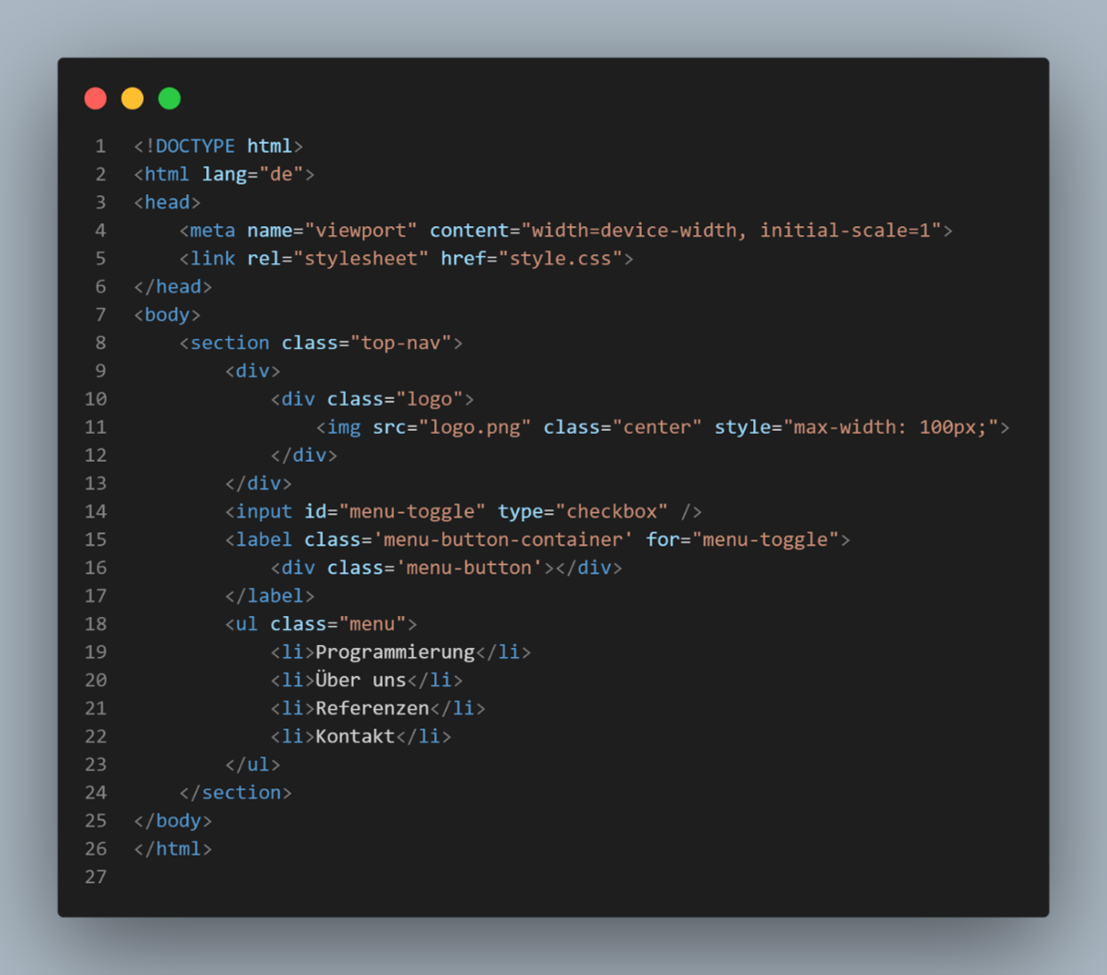
Now that our basic HTML structure is in place, we can continue with CSS to style the hamburger menu. Open another file named styles.css and add the following code:

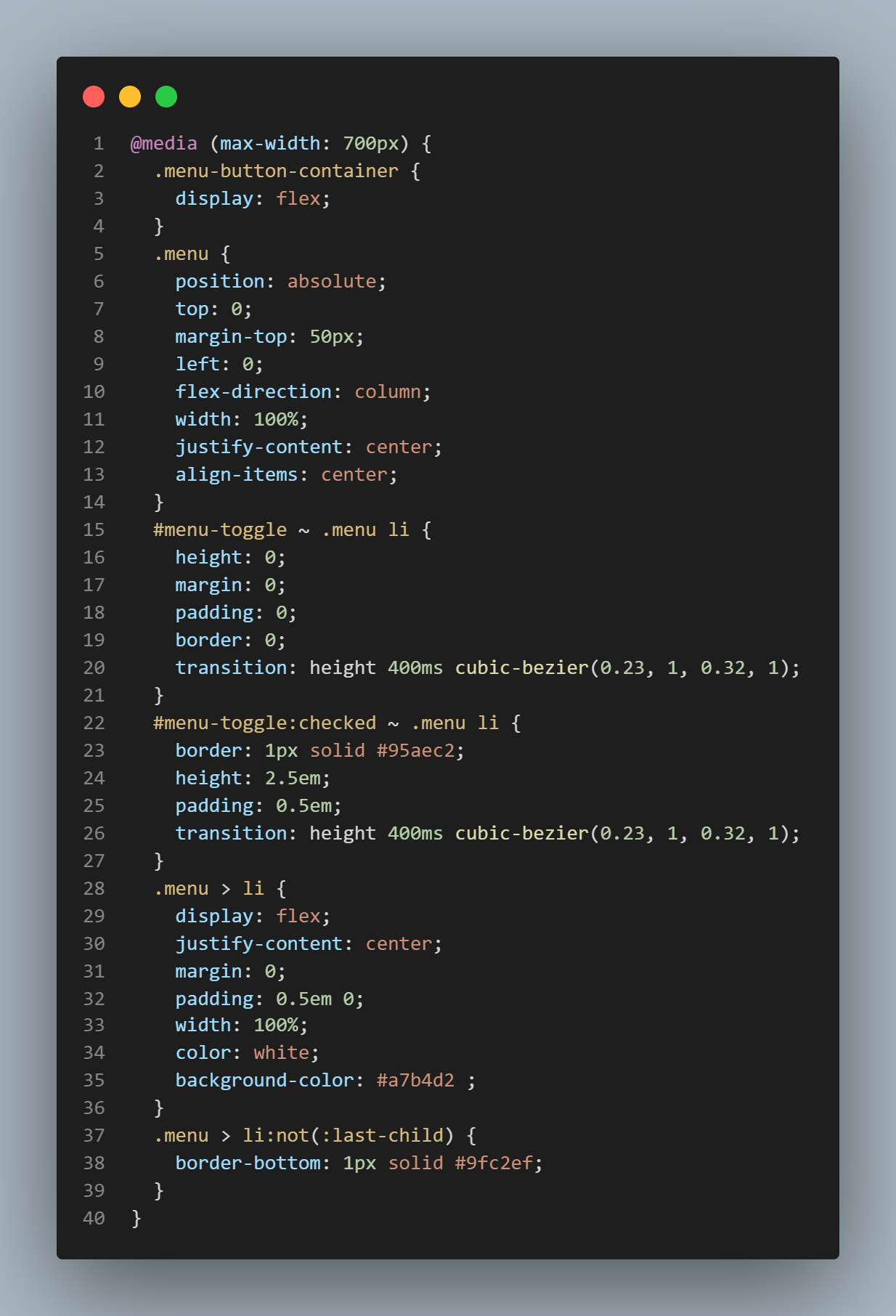
To ensure that our hamburger menu looks good on different screen sizes, media queries are an important tool for responsive web design. They allow us to define specific styles for different screen widths. Add the following CSS rule to the end of your style.css file:
We're Done!
As your Internet Agency in Munich, we specialize in developing customized websites that are both visually appealing and functionally impressive. Contact us to get more support with the implementation of your digital projects.


