Hypertext Markup Language (HTML) is a text-based markup language used to structure electronic documents such as text, images, and other content. Today, we will show you the basic fundamentals:
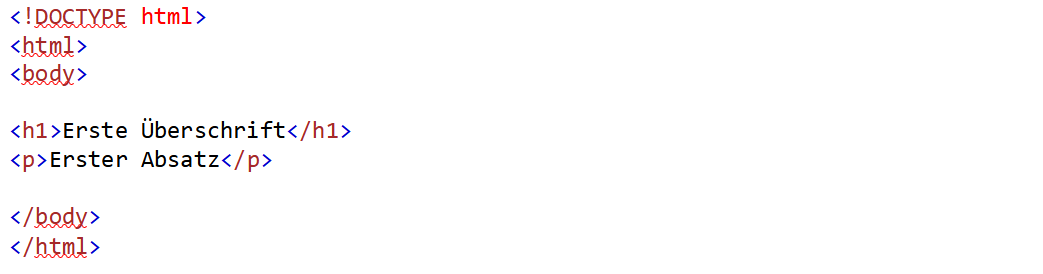
The HTML document always begins with <!DOCTYPE html>. This is followed by <html> and <body>. These tags must always end with </>!
Example:
The <DOCTYPE> Tag
This tag represents the document type and helps browsers display web pages correctly. It may only be used once and must be placed at the very top of the page before all other HTML tags.
HTML Headings
HTML headings are defined using the <h1> through <h6> tags. <h1> represents the most important, first-level heading, while <h6> represents the least important and lowest-level heading.
Example:

HTML Paragraphs
Paragraphs are defined using the <p> tag.
Example:

HTML Images
Images or graphics are defined using the <img> tag. The source file (src), alternative text (alt), width, and height must also be specified as attributes.
Example:

HTML Links
Links are defined using the <a> tag.
Example:

Tables
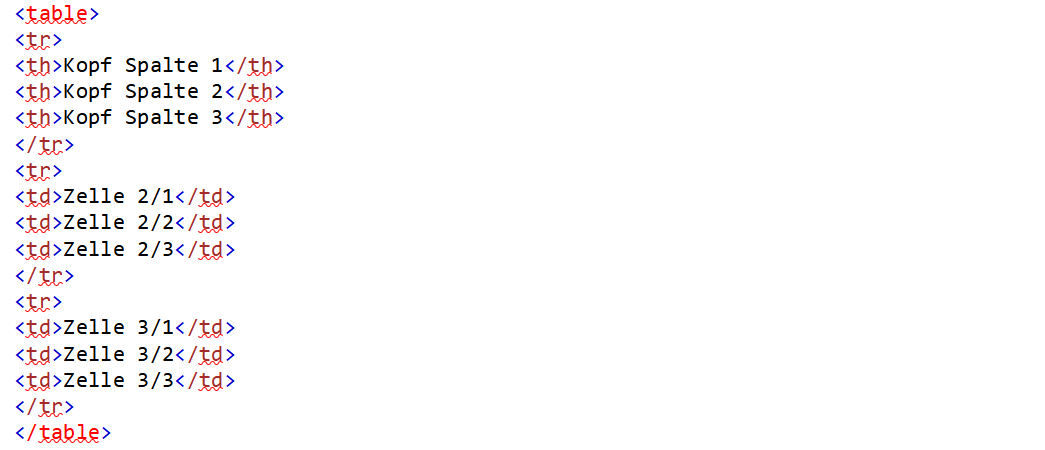
Tables always begin with the <table> tag. This is followed by the <tr> and <th> or <td> tags.
The <table> tag encloses the entire table. The <tr> tags stand for “table row” and define a row of the table. Columns are defined within these rows. In the first row, the “Table Head” tags (th) are used to define the column headings. In the subsequent rows, the “Table Data” tags (td) are used to populate the individual cells with content.
Example: