


The <button> tag defines a clickable button. Text (and tags such as <i>, <b>, <strong>, <br>, <img>, etc.) can be inserted inside a <button> element. This is not possible with a button created using the <input> element!
Tip: Always specify the type attribute for a <button> element to tell browsers what type of button it is.
|
Attribute |
Value |
Description |
|
autofocus |
autofocus |
Specifies that a button should automatically receive focus when the page loads |
|
disabled |
disabled |
Specifies that a button should be disabled |
|
form |
Form_id |
Specifies which “form” the button belongs to |
|
formaction |
URL |
Specifies where the form data should be sent when a form is submitted. Only for type="submit" |
|
formenctype |
application/x-www-form-urlencodedmultipart/form-datatext/plain |
Specifies how form data should be encoded before being sent to a server. Only for type="submit" |
|
formmethod |
getpost |
Specifies how the form data should be sent (which HTTP method should be used). Only for type="submit" |
|
formnovalidate |
formnovalidate |
Specifies that the form data should not be validated when submitted. Only for type="submit" |
|
formtarget |
_blank _self _parent _top framename |
Specifies where the response should be displayed after the form is submitted. Only for type="submit" |
|
name |
name |
Specifies the name of the button |
|
type |
button reset submit |
Specifies the type of the button |
|
value |
text |
Specifies an initial value for the button |
Example 1:
<button type="button">Click Me!</button>
Example 2:
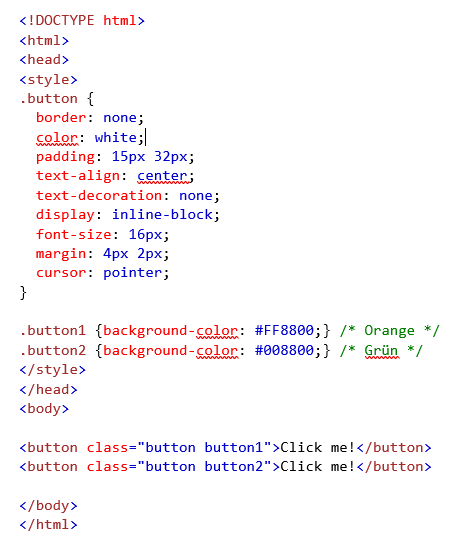
Do you have any further questions about this topic? Or do you need help designing your website from a professional internet agency in Munich? Then feel free to contact us!


