


In our web agency, we had to set up a blog system for TYPO3 for one of our clients. For this, we used a plugin. There are a few points that need to be taken into consideration during the process.
1. First, we need to install the blog extension (https://docs.typo3.org/p/t3g/blog/9.1/en-us/Index.html) under Extensions.
2. Next, we need to set up our blog. Under System > Blog > Setup a new Blog, the structure of our new blog was created. It should look like this:
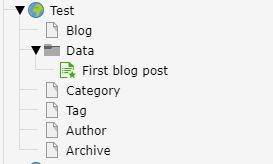
All new blog posts must be located in the Data directory.
3. Our blog system has its own page tree. This means that if we want to display the blog posts on an existing subpage, we need to change a few settings:
In our page tree, we go to the homepage of our older installation. There, under
Homepage > Template > Edit complete template record, we need to add the blog plugin "Include static templates" in the left column.
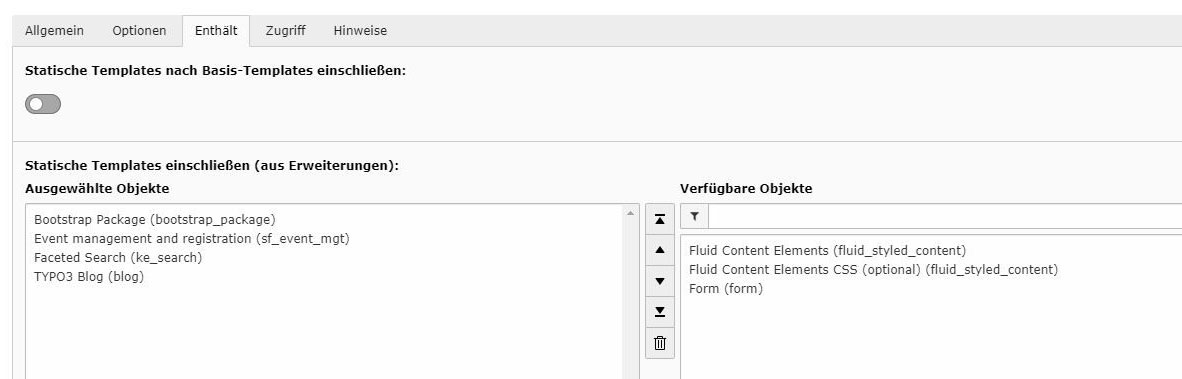
4. The template on the Blog homepage (called "Jobs" in our case) also needs to be adjusted. Under Template > Edit complete template record > Options, the Rootlevel option was disabled.
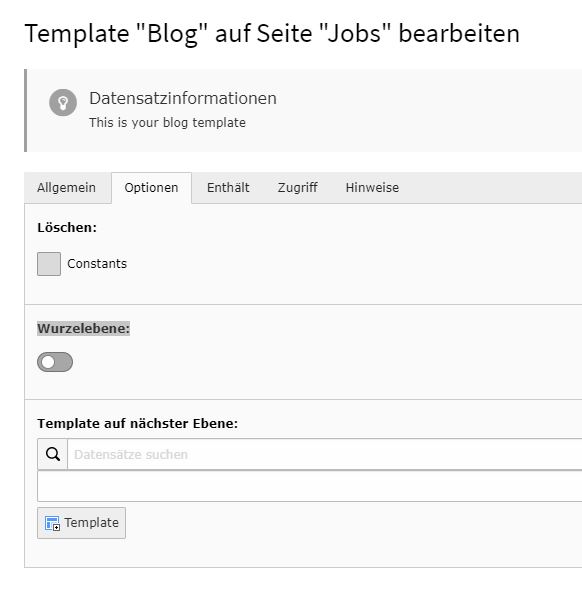
The Clear options for Constants and Setup must also be disabled. This causes the Jobs page and its subpages (including the blog posts) to inherit the template from the homepage.

5. The Jobs page was then hidden and moved as a subpage of our homepage.
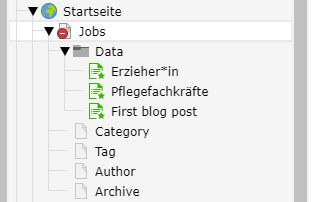
6. We can then create a new content element on the desired page:
Under Plug-Ins > General Plug-Ins, in the Plug-In tab, we select the Blog:List of Posts option from the Selected Plug-In dropdown menu.
In the Record Collection field, we add the Data folder of our blog system.


