

Plone agency for organisations with many editorial teams
Public authorities, research, universities, associations: wherever many people maintain content, approvals must be clearly defined and security is non-negotiable. We plan, design, develop and run websites and portals with Plone 6.
- Plone 6 · Volto or Classic UI
- Open source since 2001
- Migration from Plone 4 and 5
- Unterföhring near Munich
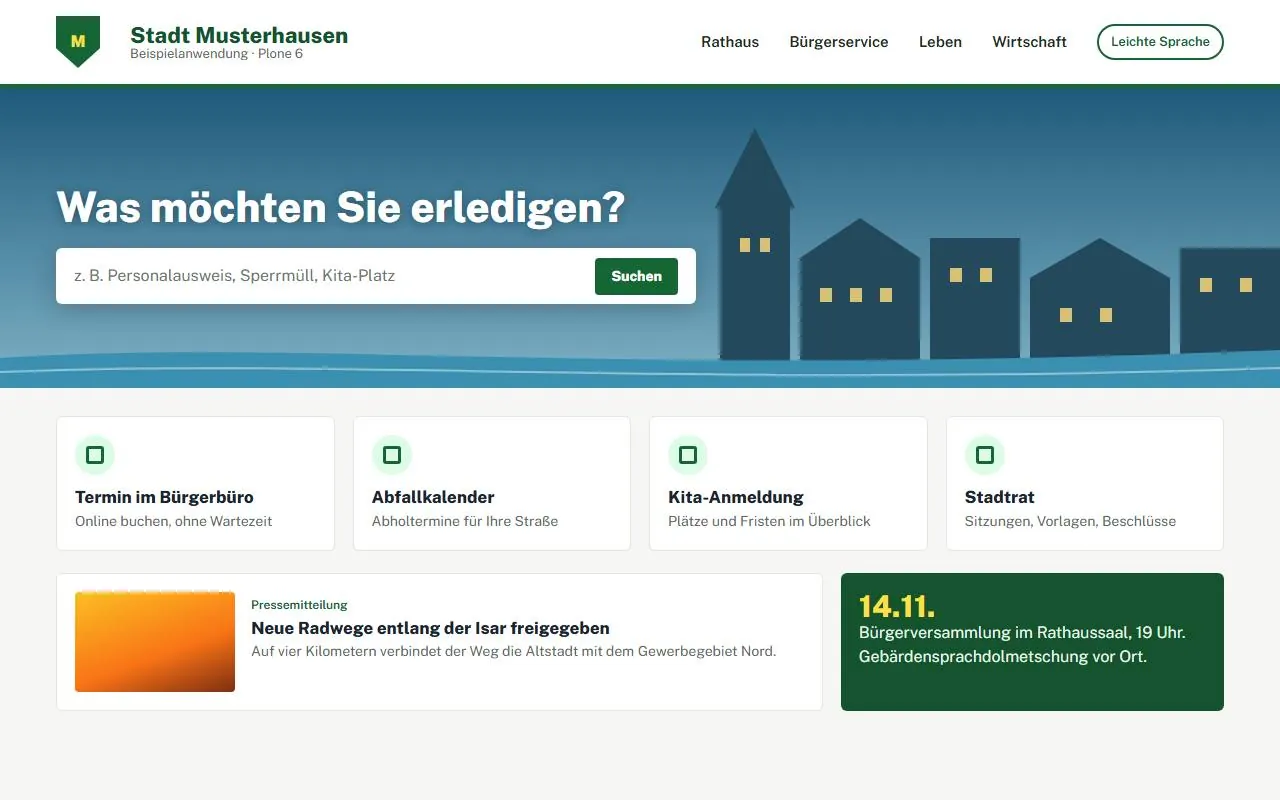
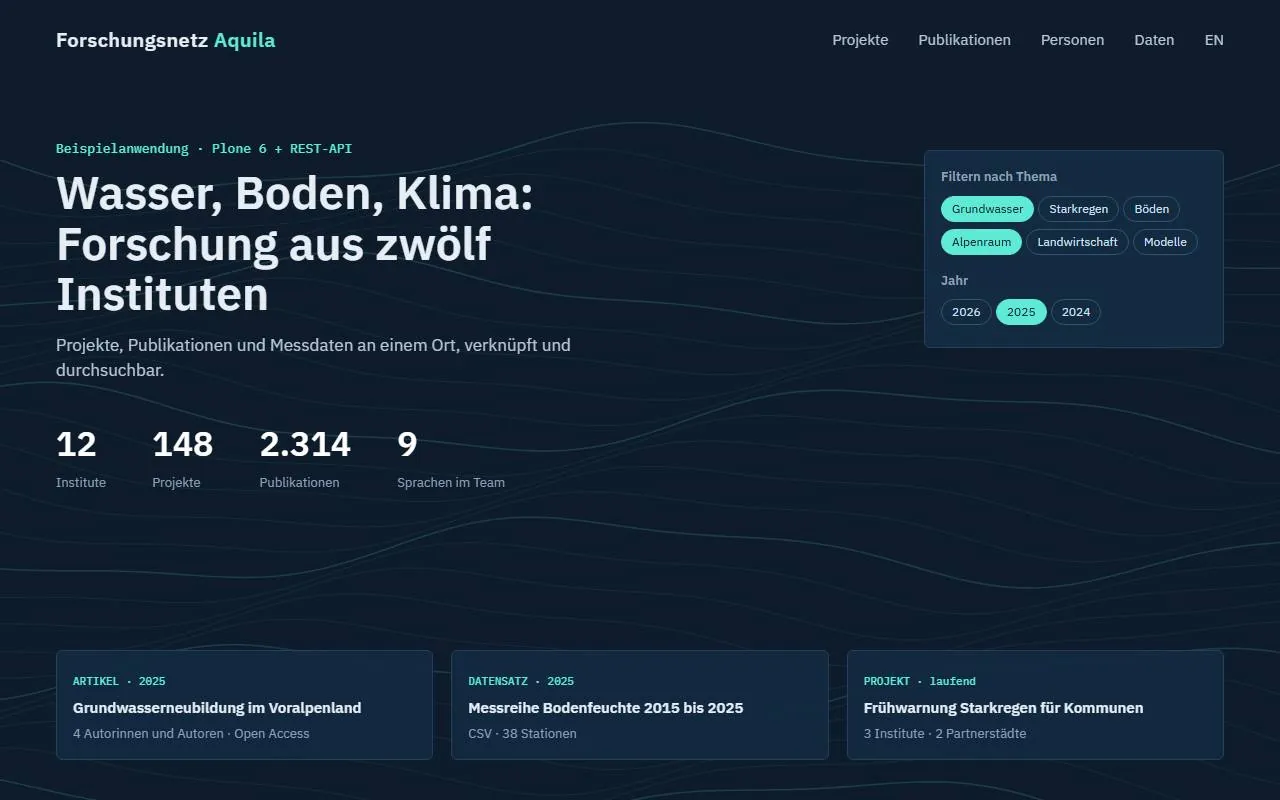
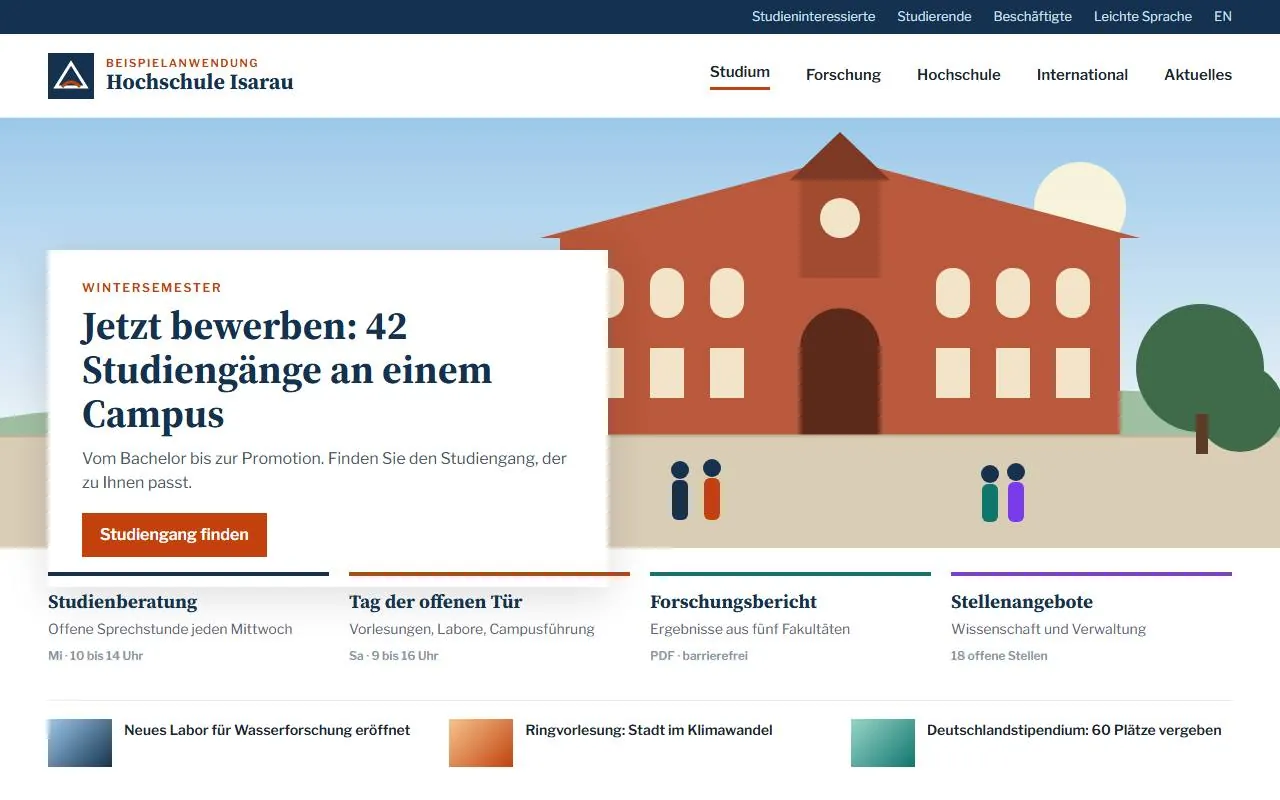
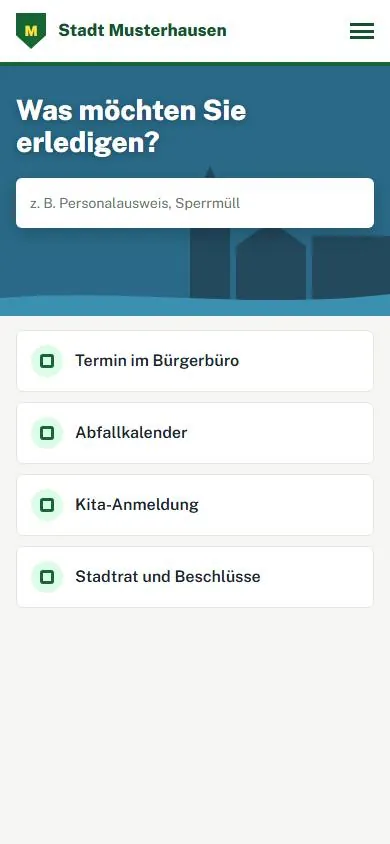
Fictitious example applications, built with Plone 6
Secure. Open. Built for many editorial teams.
Plone is a Python-based open-source CMS that has been developed since 2001 by a worldwide community and the non-profit Plone Foundation. It is regarded as one of the most secure CMSs on the market, which is why it is at home wherever many departments, strict approvals and high accessibility requirements come together. We plan, design, develop and support Plone websites, from the first concept to day-to-day operation.
Many write, few approve
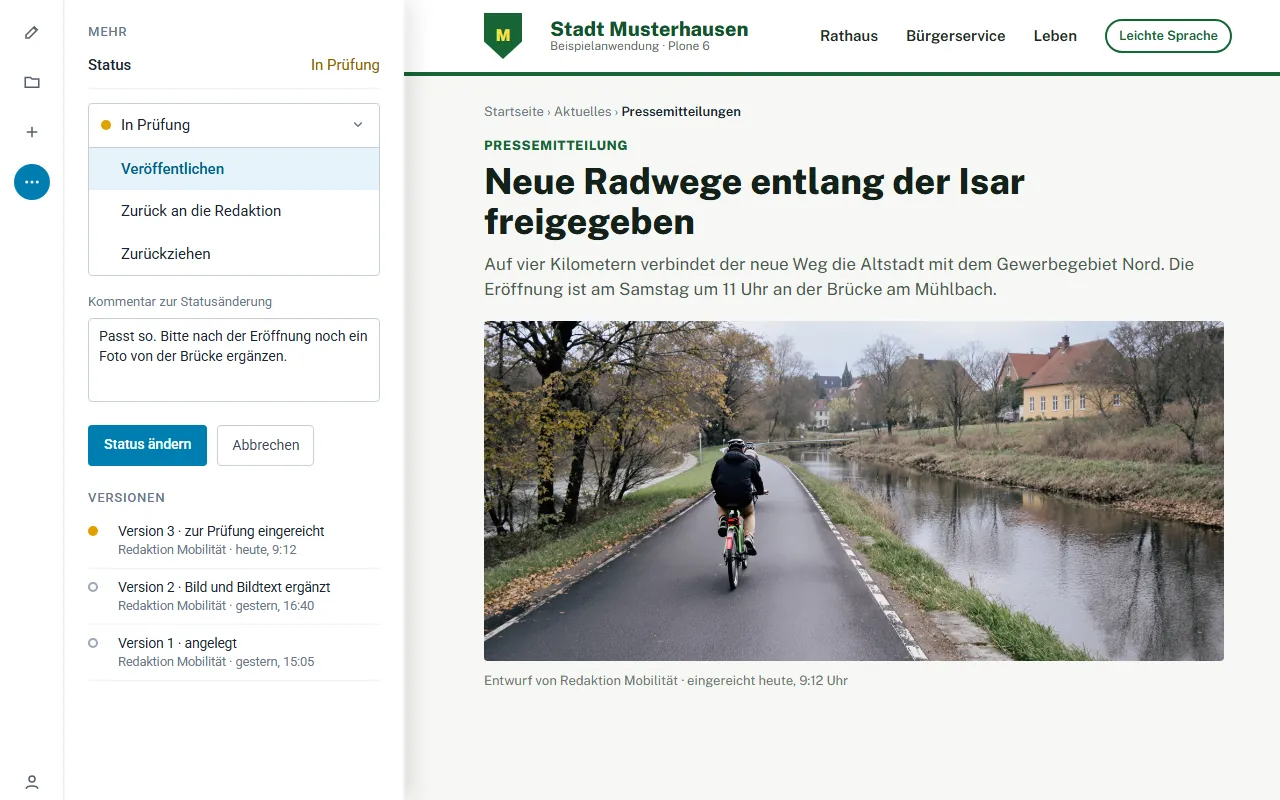
Roles, groups and approval workflows are built into Plone, not bolted on. If you wish, users come directly from LDAP or Active Directory.
-
Draft
The department writes
Editors, e.g. an instituteCreate a page, add blocks, insert images. Visible only to the editor's own group.
Version 1, 2, 3 … -
Pending review
The reviewer checks
e.g. the press officeSubmitted pages appear in the review list. Approve them or send them back to the editors with a comment.
submit → approve -
Published
The public reads
Website visitorsOnly now is the page public. Later changes go through review again.
Version saved
Every version is kept and can be compared and restored. We adapt the workflow to you: one step for an institute website, two review stages for a public authority portal.
Who can do what
Plone assigns permissions per folder, and they are inherited downwards. This lets every faculty, department or working group maintain its own area without touching anyone else's.
-

Departmental editors
only in their own folder
can create and edit pages and submit them for review
cannot publish on their own
-

Press office
for the entire website
can edit, review and approve
cannot create new pages in other teams' folders
-

Committee
protected area in the intranet
can read, including confidential content
cannot create, edit or approve
And the public? Without logging in, they only see what has been published. We define groups and roles together with you. The photos are sample images.
What Plone is used for
Plone is not a niche system for one industry. What all its areas of use have in common: many editorial teams, clear approvals, high security.
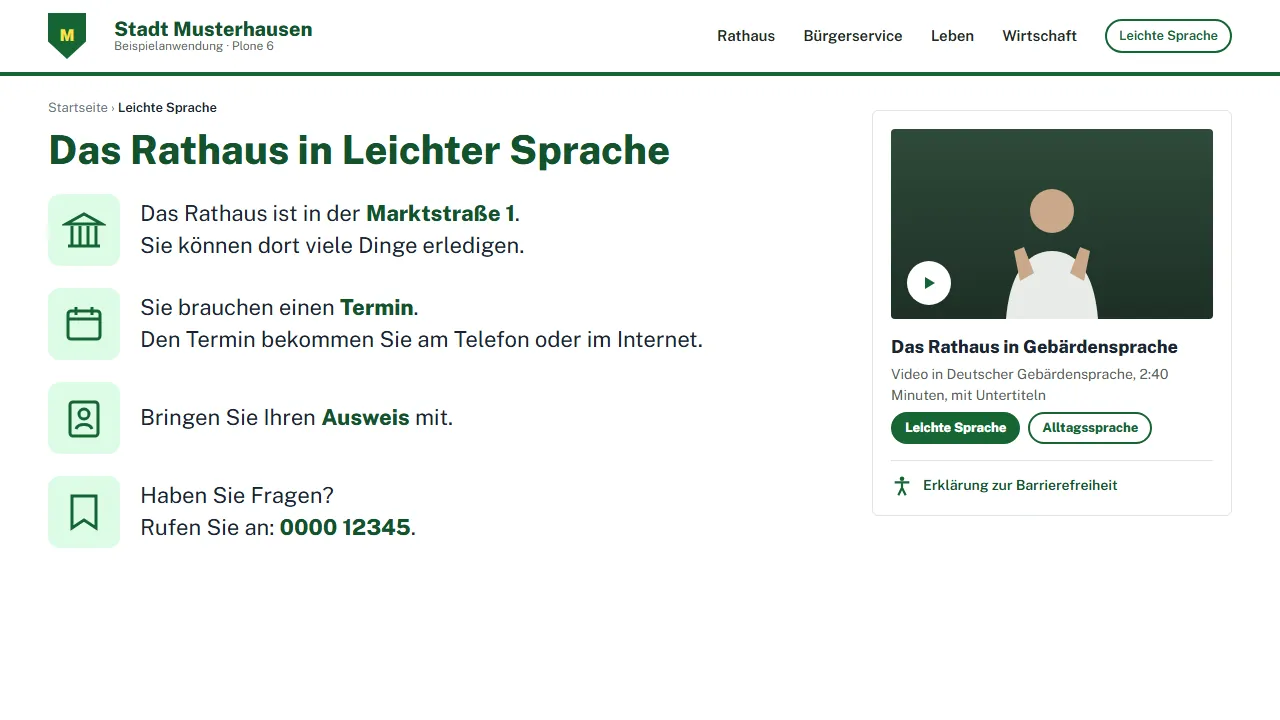
Public authorities and the public sector
Accessible websites with clear approval workflows and a complete version history.
- Accessibility in line with BITV 2.0 and WCAG 2.2
- Easy-to-read language and sign language as separate sections
- Hosted in Germany, data protection in line with GDPR
Typical: state and local governments, public offices, chambers
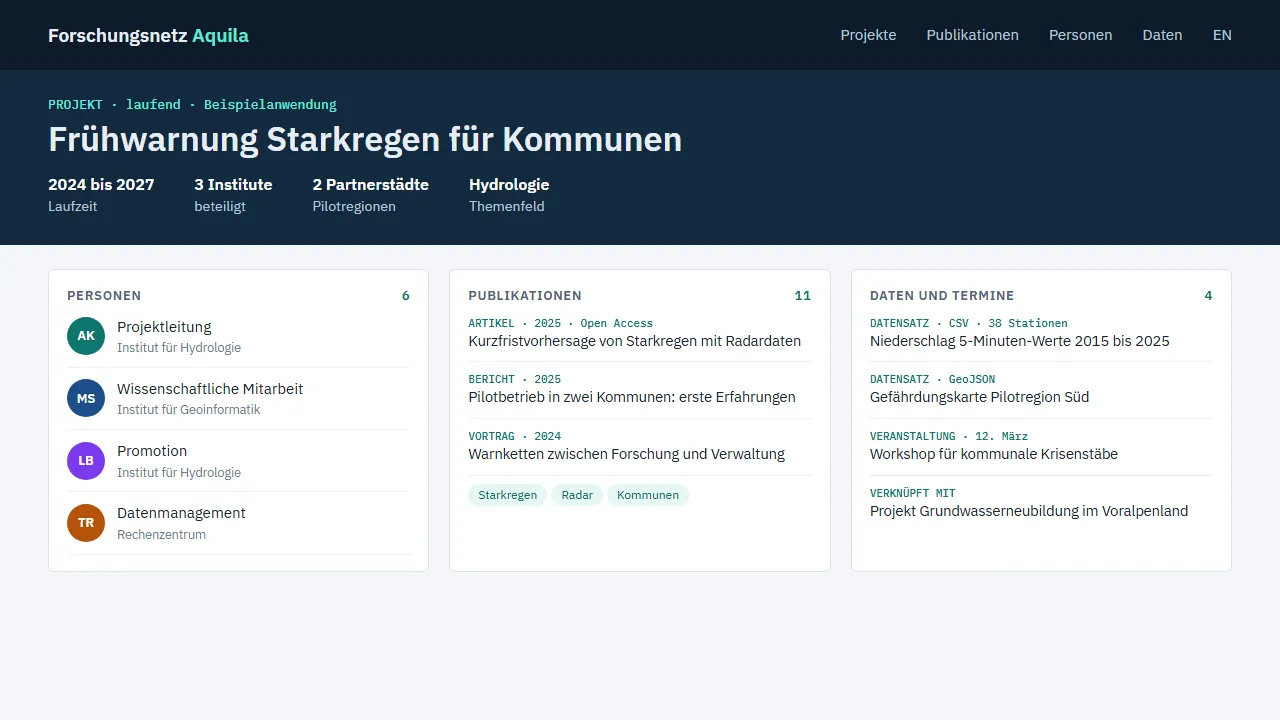
Research institutions
Projects, publications and people linked and searchable, often fed from research information systems.
- Structured content types for projects and publications
- Automatic import via interfaces
- Faceted search across all content
Typical: research networks and scientific institutes
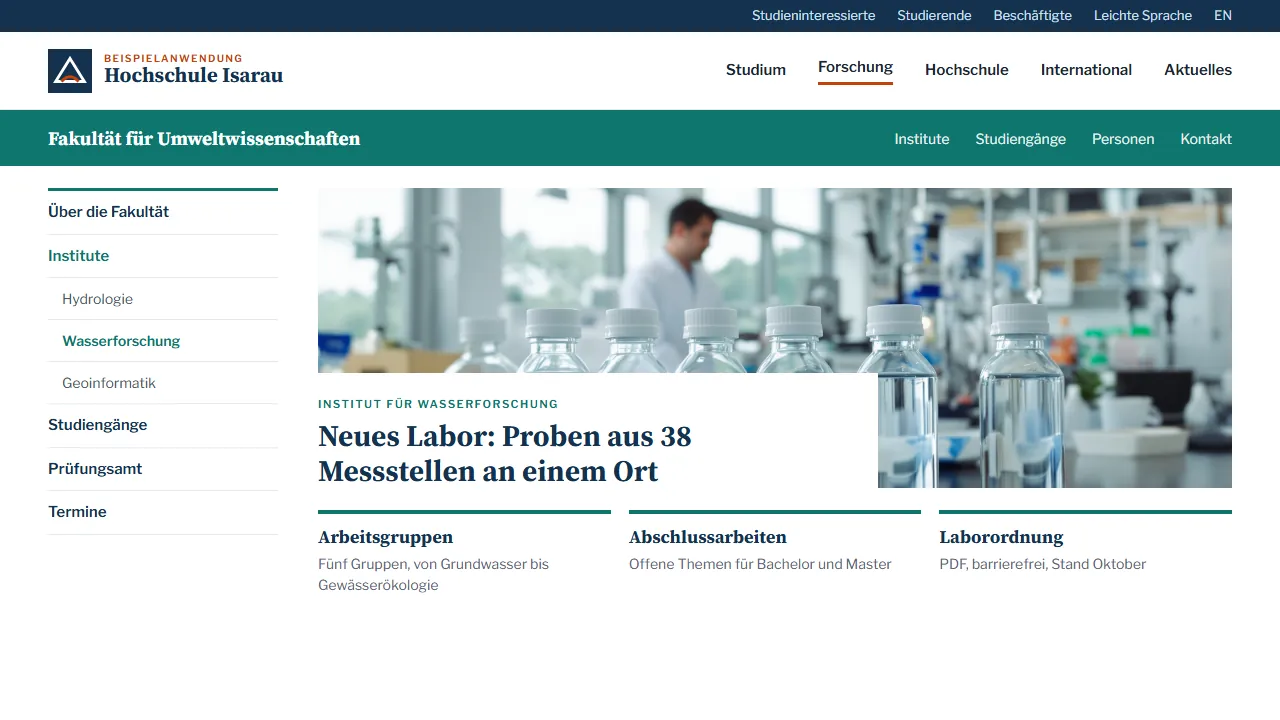
Universities
Faculties, institutes and administration maintain their own areas, while the corporate design stays consistent.
- Separate editorial groups for each department
- Degree programme, staff and event pages as fixed content types
- Integration with LDAP and campus systems
Typical: a central website with many sub-pages from institutes
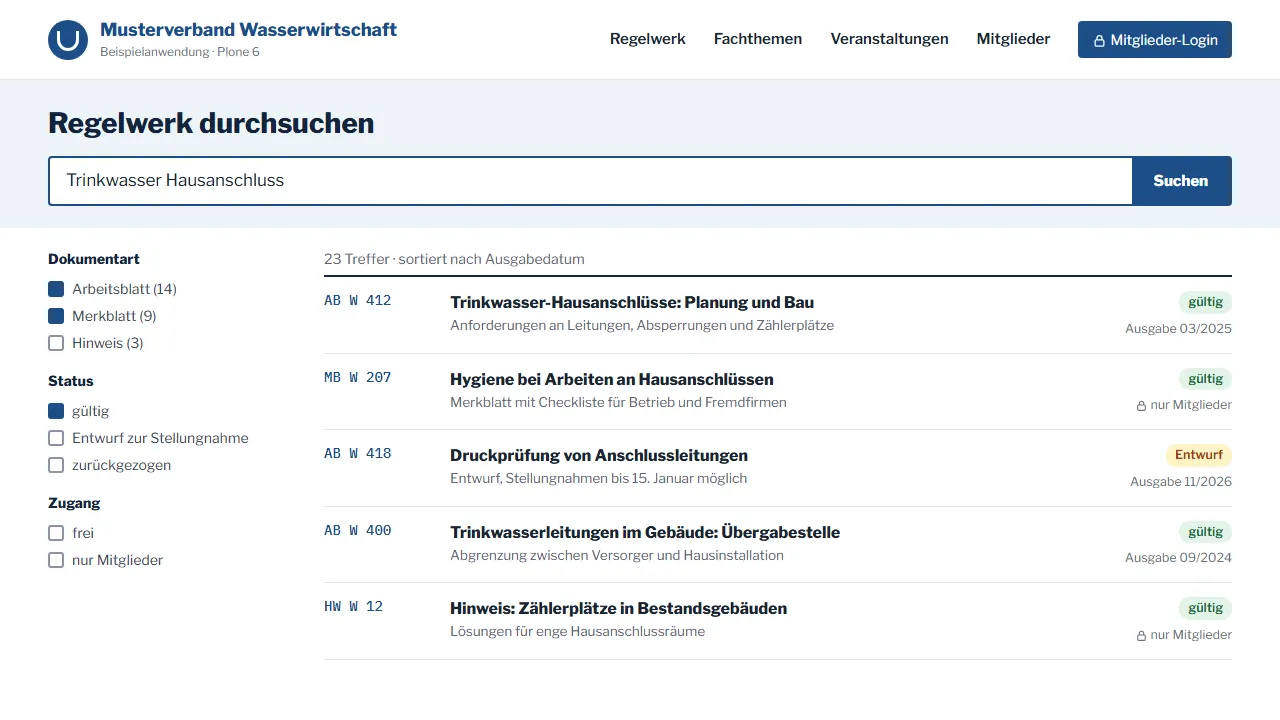
Social insurers and associations
Specialist information, regulations and services for members and policyholders, maintained by many specialist departments.
- Protected member areas with their own login
- Media and regulation databases with faceted search
- Forms and applications forwarded to specialist back-office systems
Typical: statutory accident insurers, chambers, trade and professional associations
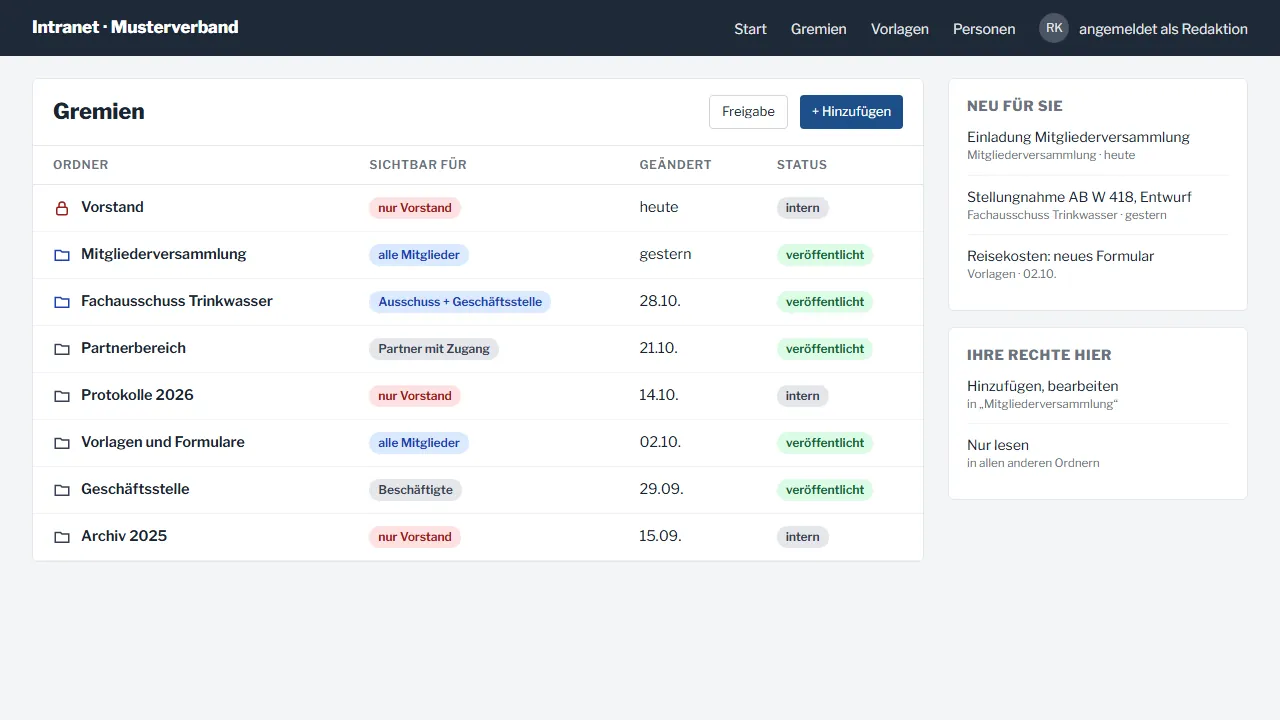
Intranet and extranet
Protected areas for employees, members or partners, with permissions down to individual folders.
- Login via Active Directory or single sign-on
- Document storage with versions
- Workspaces for committees and project groups
Typical: the members' area of an association
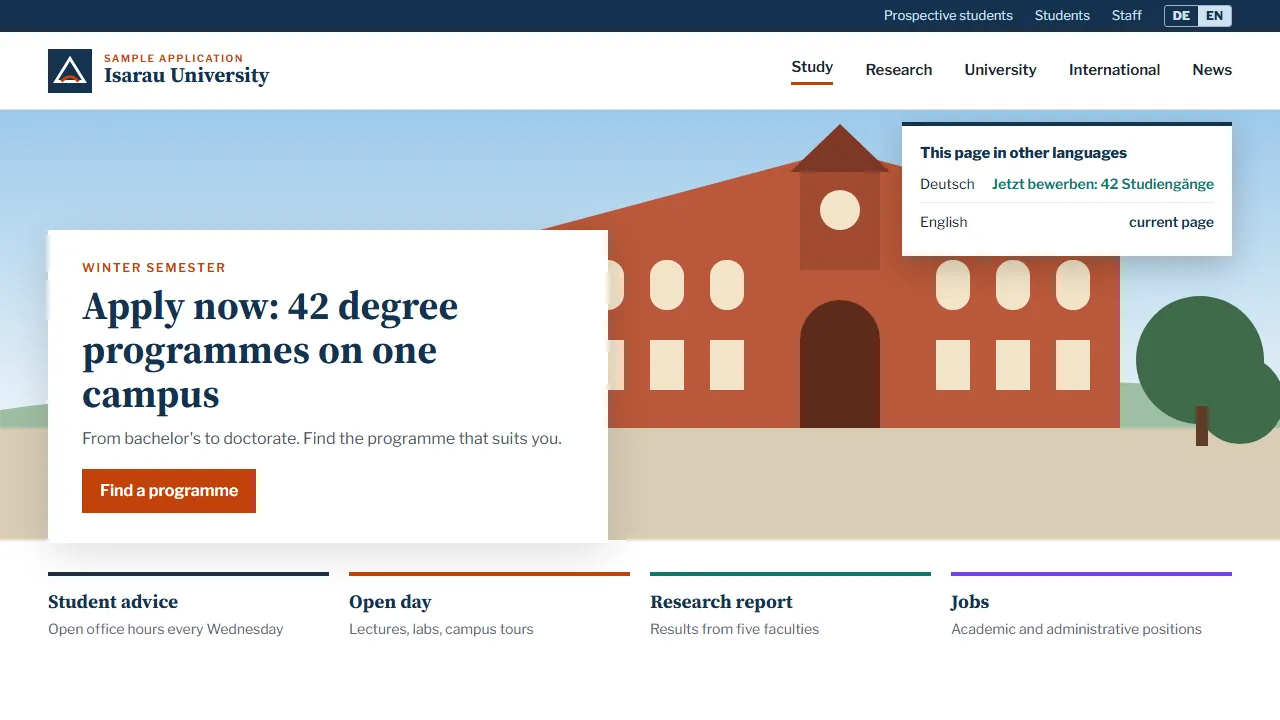
Multilingual portals
Every page knows its translations. Visitors switch language without ending up on the home page.
- Linked translations, including for images and files
- Separate approvals for each language
- Clean language tagging for search engines
Typical: international institutions and networks
Headless and interfaces
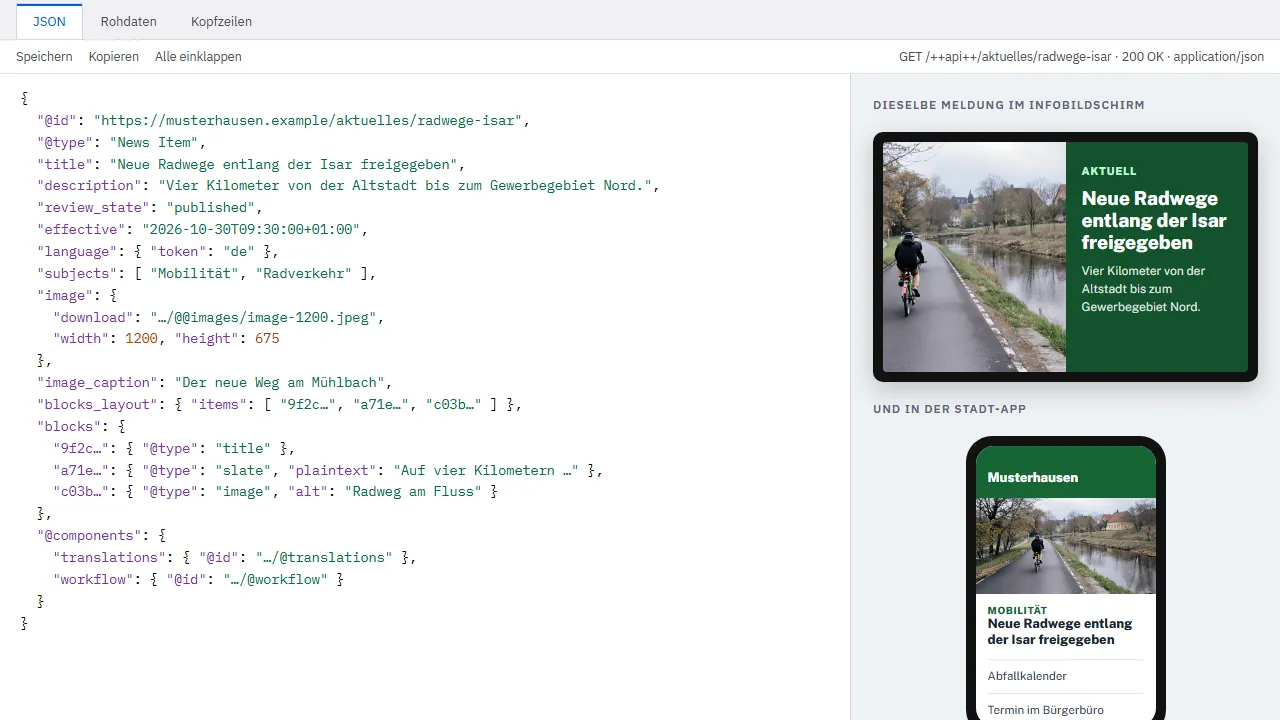
Plone also delivers content to apps, screens or other websites via a documented REST API.
- REST API for reading and writing
- Maintain content once, publish it everywhere
- Integration of calendars, databases and specialist systems
Typical: event data for an app and a website at the same time

since 2001
Open source, developed by a worldwide community and the non-profit Plone Foundation. No single vendor decides its future.
Two interfaces, one system
Plone 6 offers two approaches. We advise you on which one suits your editorial team, your design and your operations.
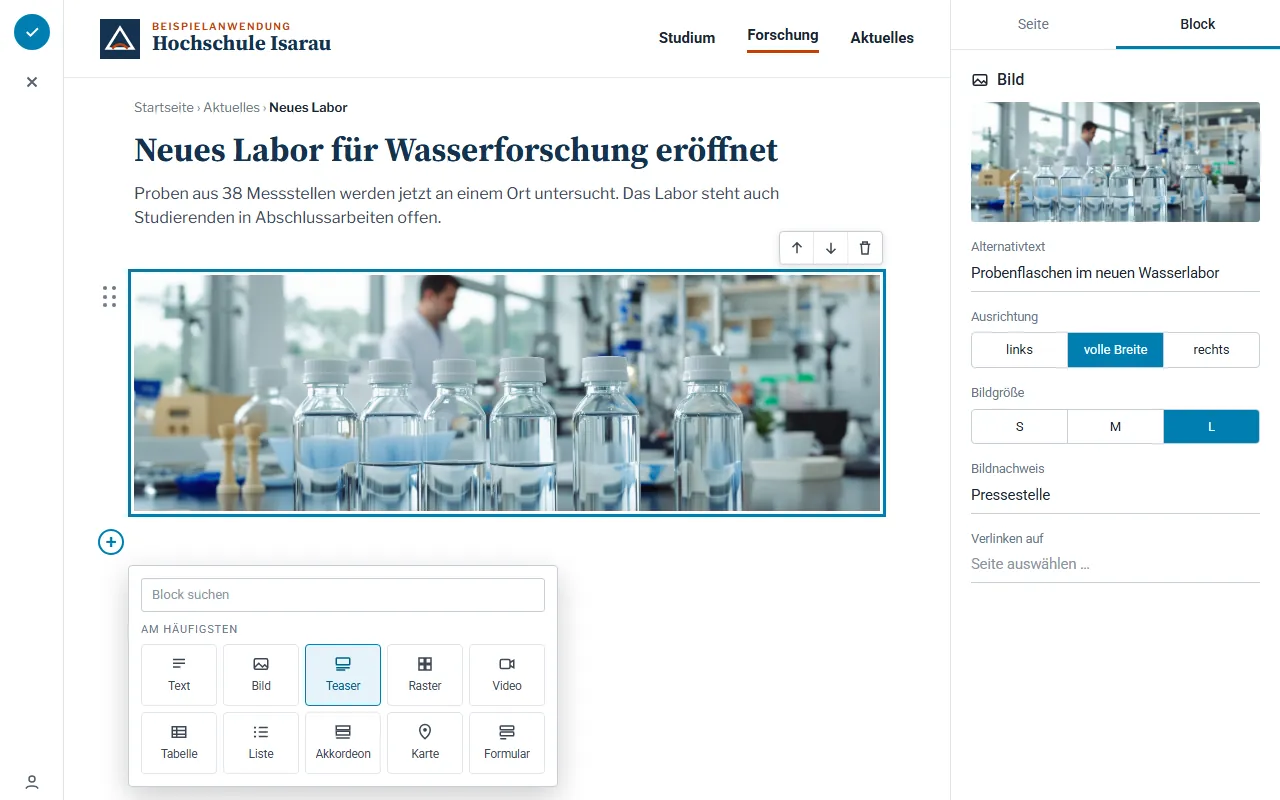
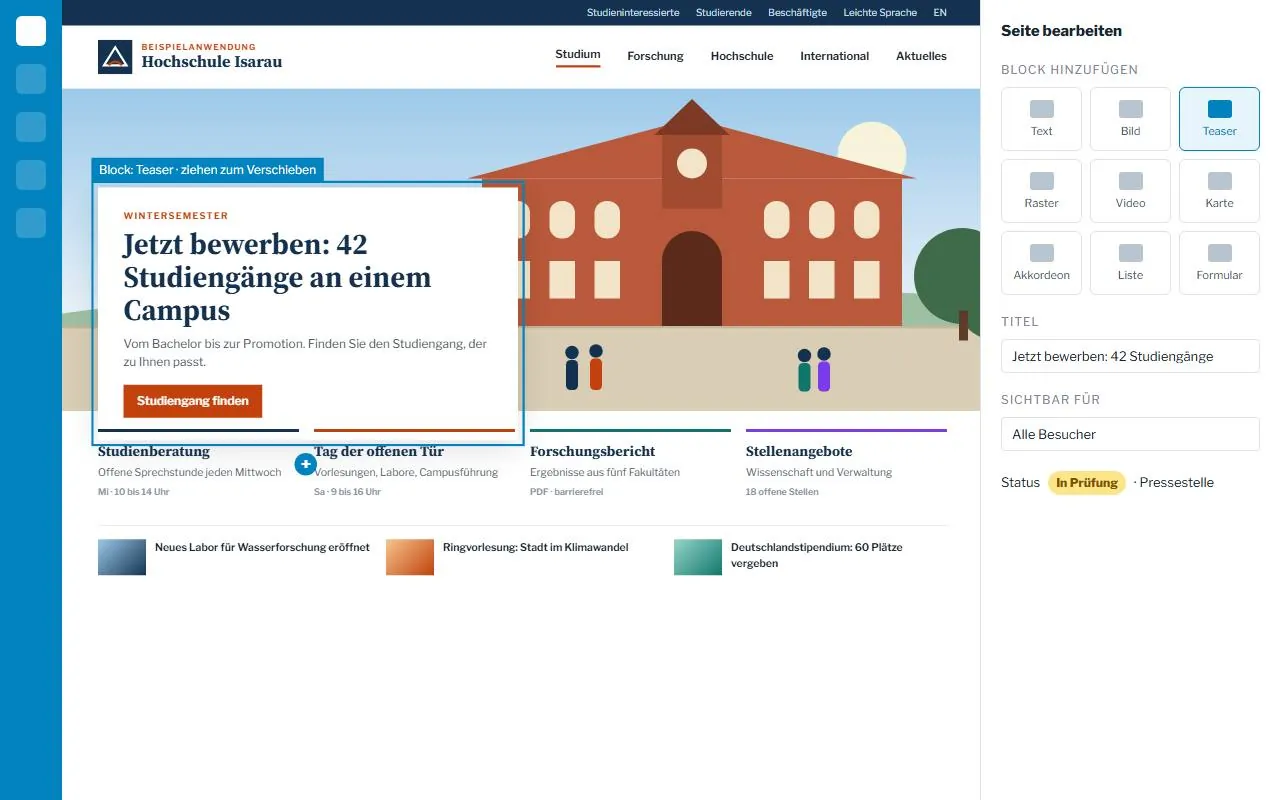
Volto: the block editor
Plone 6 · React- Working as an editor
- Directly on the page: select a block, write, move it.
- Design
- We define the permitted blocks and layouts centrally. This keeps the corporate design intact, even when many people maintain content.
- Suitable for
- new websites with a modern interface
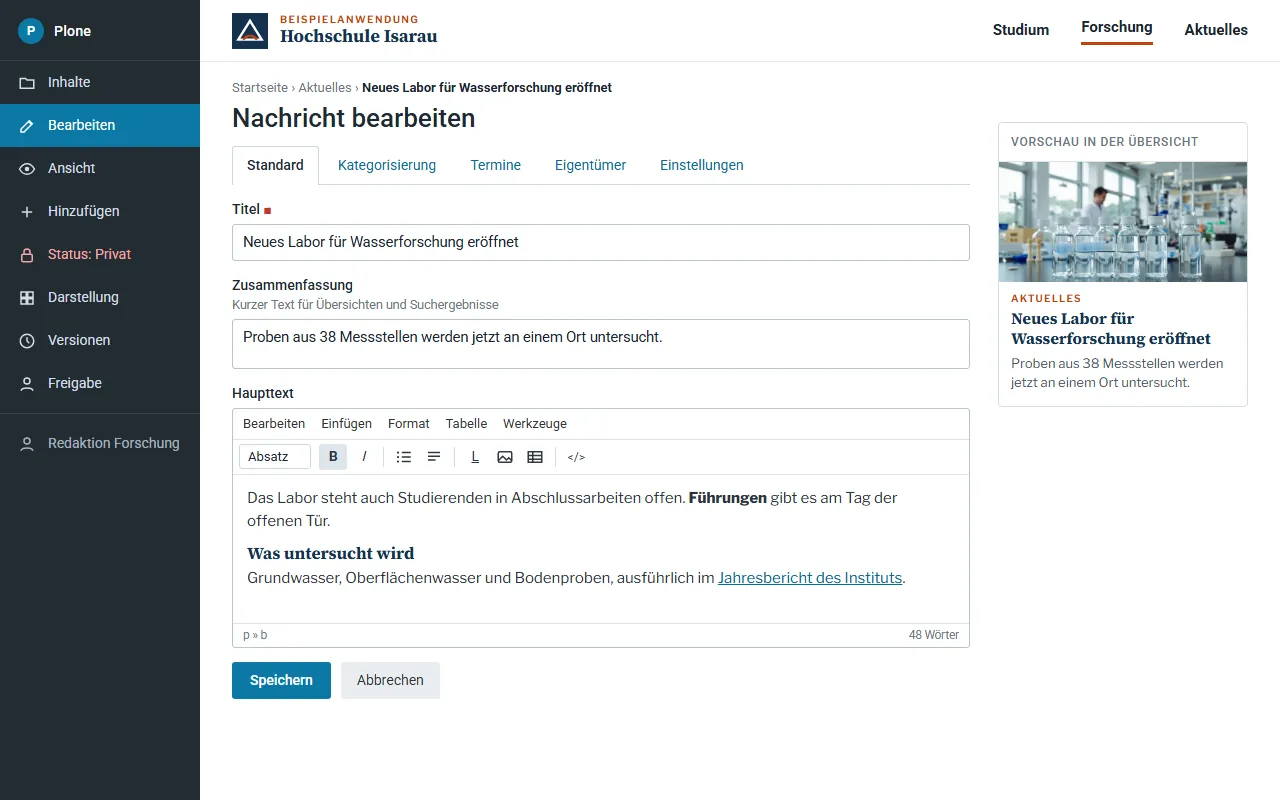
Classic UI: proven and server-side
Plone 6 · Python templates- Working as an editor
- In the familiar form with a text editor; the page is built on the server.
- Operations
- Pages are rendered on the server, without an additional Node.js layer. Leaner to run.
- Suitable for
- many migrations from Plone 4 or 5
An architecture that grows with you
From a small institute website to a load-balanced portal. We set up Plone in containers, monitor it and keep it up to date, at mittwald or in your own data centre.
From Plone 4 or 5 to Plone 6
Python 2 has not received any security updates since 1 January 2020. Plone 4 and 5.0/5.1 only run on Python 2.
We move your content across safely, step by step and without bringing your editorial work to a halt.
- Step 1
Review what you have
Content types, add-ons, custom code, interfaces and access rights.
- Step 2
Choose the approach
Volto or Classic UI, what is carried over and what can be dropped.
- Step 3
Trial run
Export and import of the content to a test system, comparison with the old system.
- Step 4
Acceptance
Editors test, accessibility is checked, redirects are set up for old URLs.
- Step 5
Switchover
Final content transfer, go-live, followed by support and updates.

Our Plone services
- Concept and information architecture for large websites
- Design in your corporate design, accessible in line with BITV 2.0
- Development of Volto blocks, themes and content types
- Migration from Plone 4 and 5 to Plone 6
- Integration of LDAP, search and third-party systems via the REST API
- Multilingual set-ups and permission concepts for many editorial teams
- Hosting, monitoring, backups and security updates
- Editor training and support during ongoing operation
Frequently asked questions about Plone
How does Plone differ from TYPO3 or WordPress?
Plone comes with permissions, approval workflows and versioning out of the box and has a very good security track record. It is particularly strong when many editorial teams work on one website. For smaller websites we often recommend a different system, and we tell you so.
Volto or Classic UI: which is right for us?
Volto is the modern choice for new websites with a block editor. Classic UI is leaner to run and the simpler path for many migrations. We decide together, based on your editorial team, your design and your IT.
Is Plone accessible?
Plone is designed for accessibility. What matters is how the design and content are implemented. We check all page types and templates automatically and the most important pages manually against WCAG 2.2 and BITV 2.0.
Can we keep our old Plone site until the new one is ready?
Yes. The old site keeps running until the new one has been accepted. Any content created in the meantime is carried over at switchover.
Where is Plone hosted?
In containers with our hosting partner mittwald in Germany or in your own data centre. If you wish, we take care of monitoring, backups and updates.
Your contact for Plone development
Bastian Kretzschmar
Dipl.-Math. oec., Managing Director
Phone: 089 700742-660 Phone:089 700742-660
Plone or another system? CMS agency: which content management system suits your editorial team
